This is the English reading version of the Dutch news item Nieuw open-source alternatief voor EPLAN.
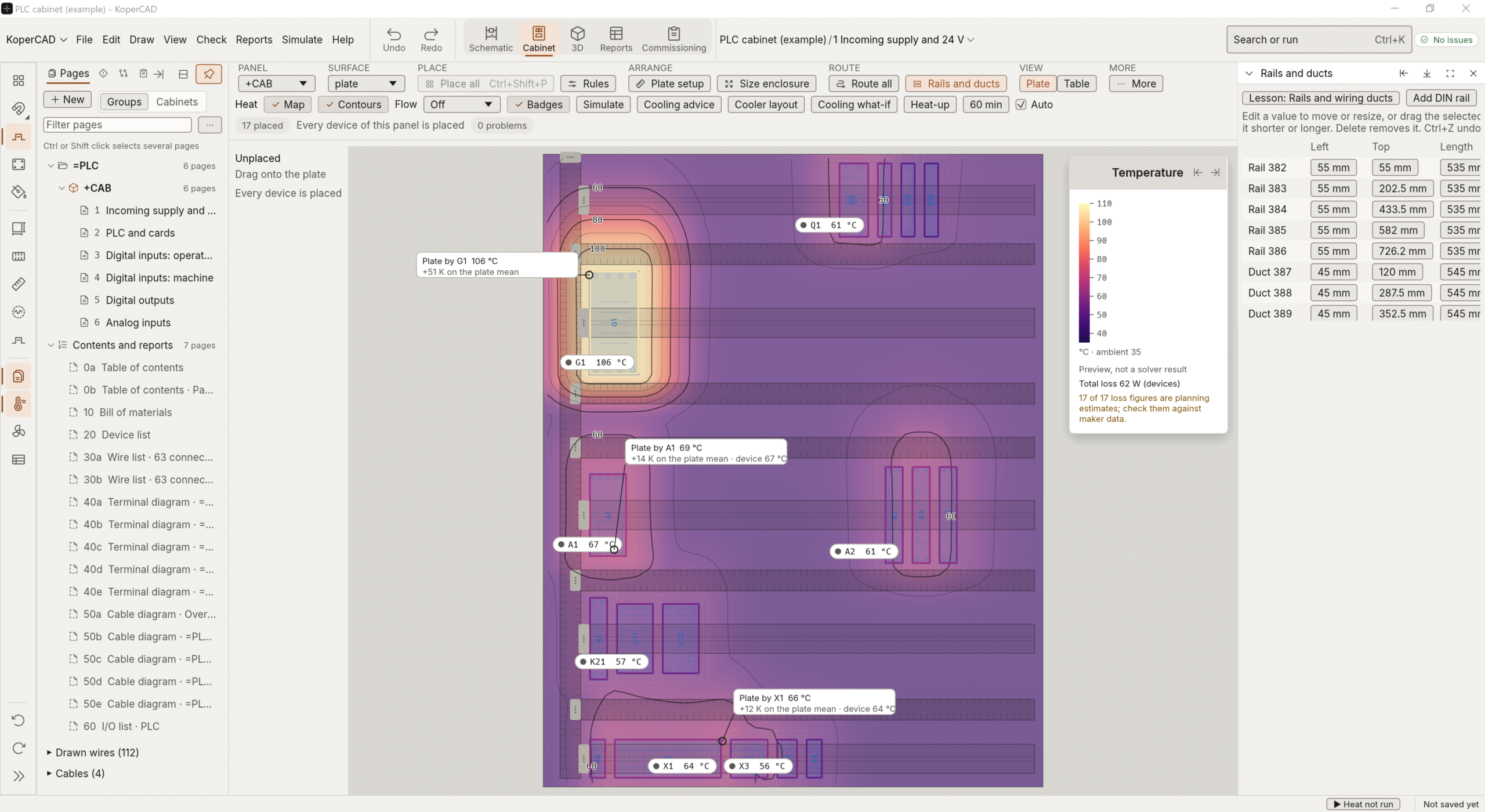
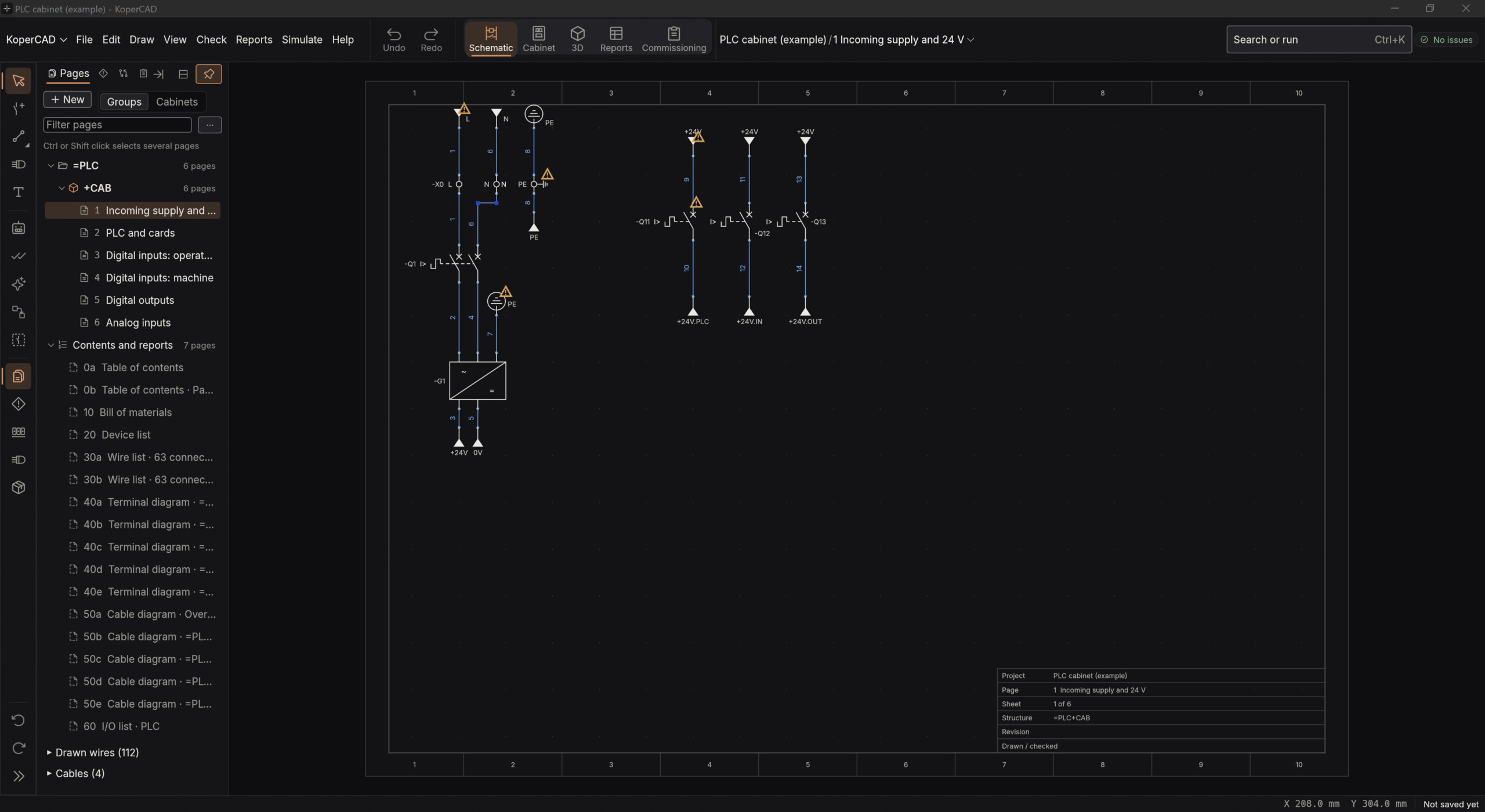
KoperCAD is a new, free and open-source program for electrical CAD. You draw schematics in it, and the program keeps the terminals, cables and reports in step with your drawing. It is meant for the work you do today in EPLAN Electric P8 or AutoCAD Electrical, but as a program that runs on your own PC, without an account and without an internet connection. It is electrical CAD, not mechanical CAD.
The program was called NovoElectric until mid-October; the maker, KoperVonk, chose the name KoperCAD on 15 October. The project was built in three weeks, with an AI model as co-author on almost every code change. As of today there is an exe file in the releases that you can download and start. The program itself is in the 45 MB zip, with run.cmd; the separate exe in that list is the canvas demo.
What is in it
- Schematics with IEC symbols and tags, automatic numbering of wires and potentials, and cross references between coils and contacts.
- Terminal strips, cables with cores and shields, PLC cards and I/O lists.
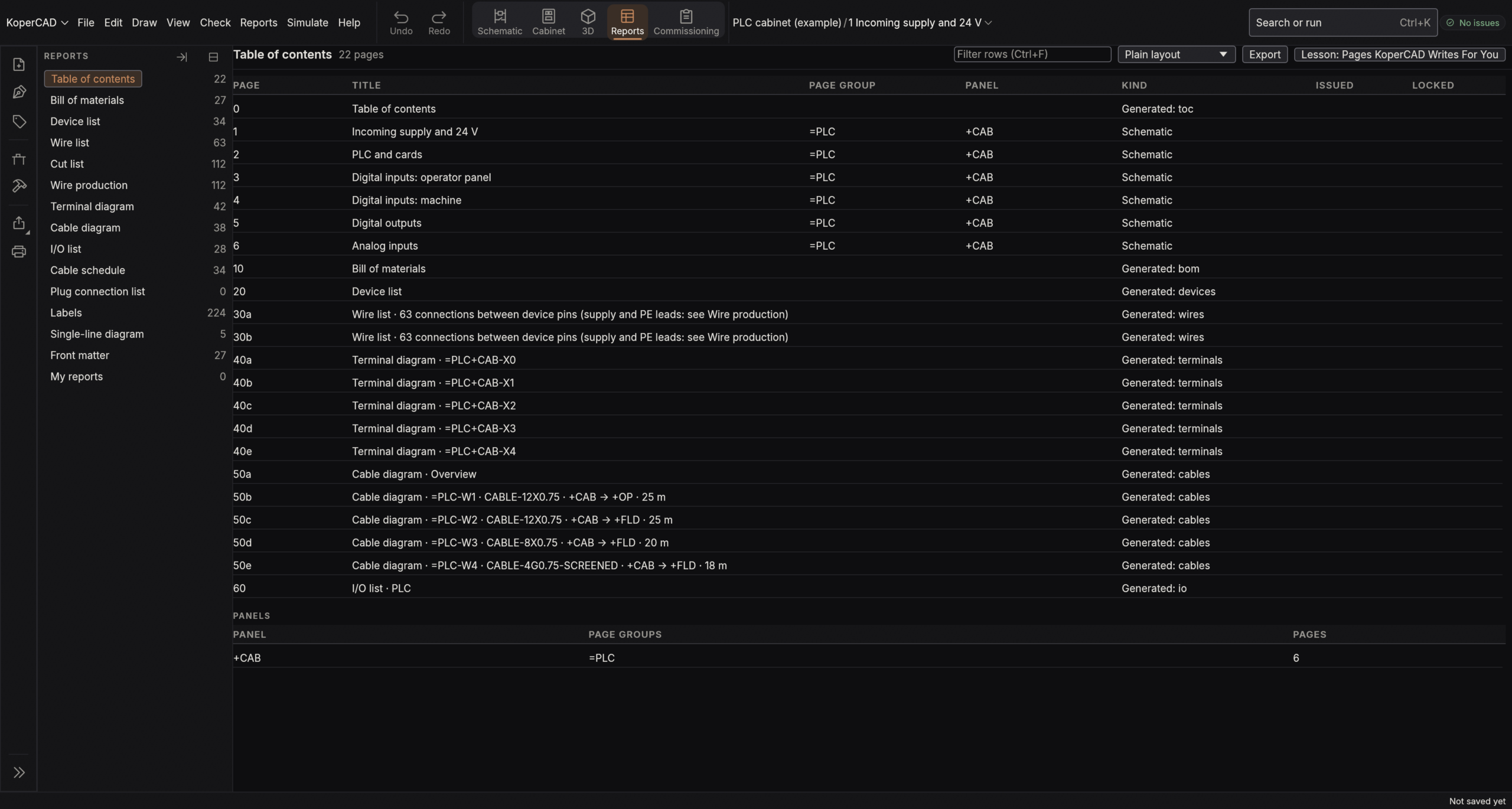
- Reports that follow your drawing: bill of materials, device list, wire list, terminal and cable diagrams, with export to PDF and Excel.
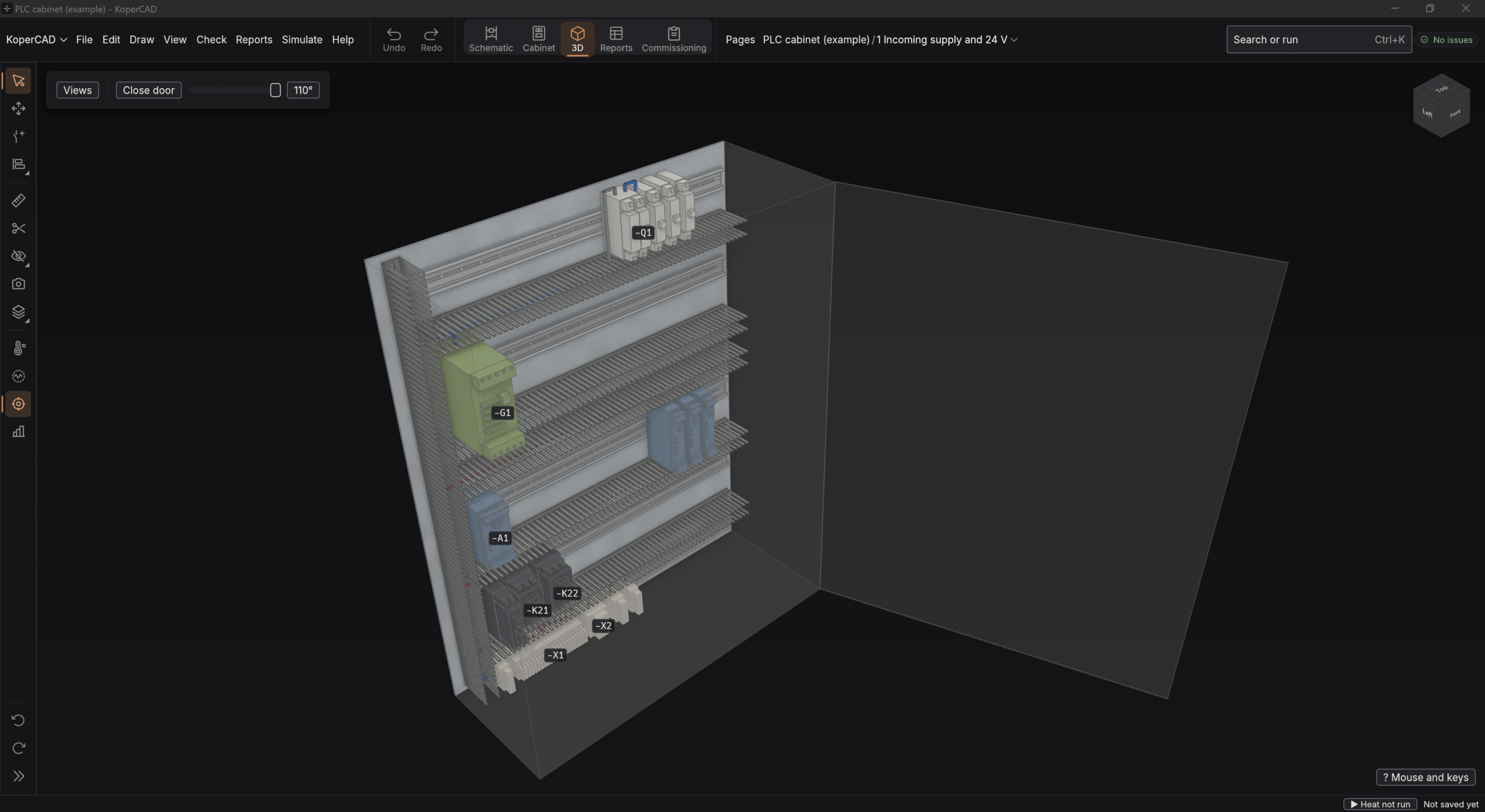
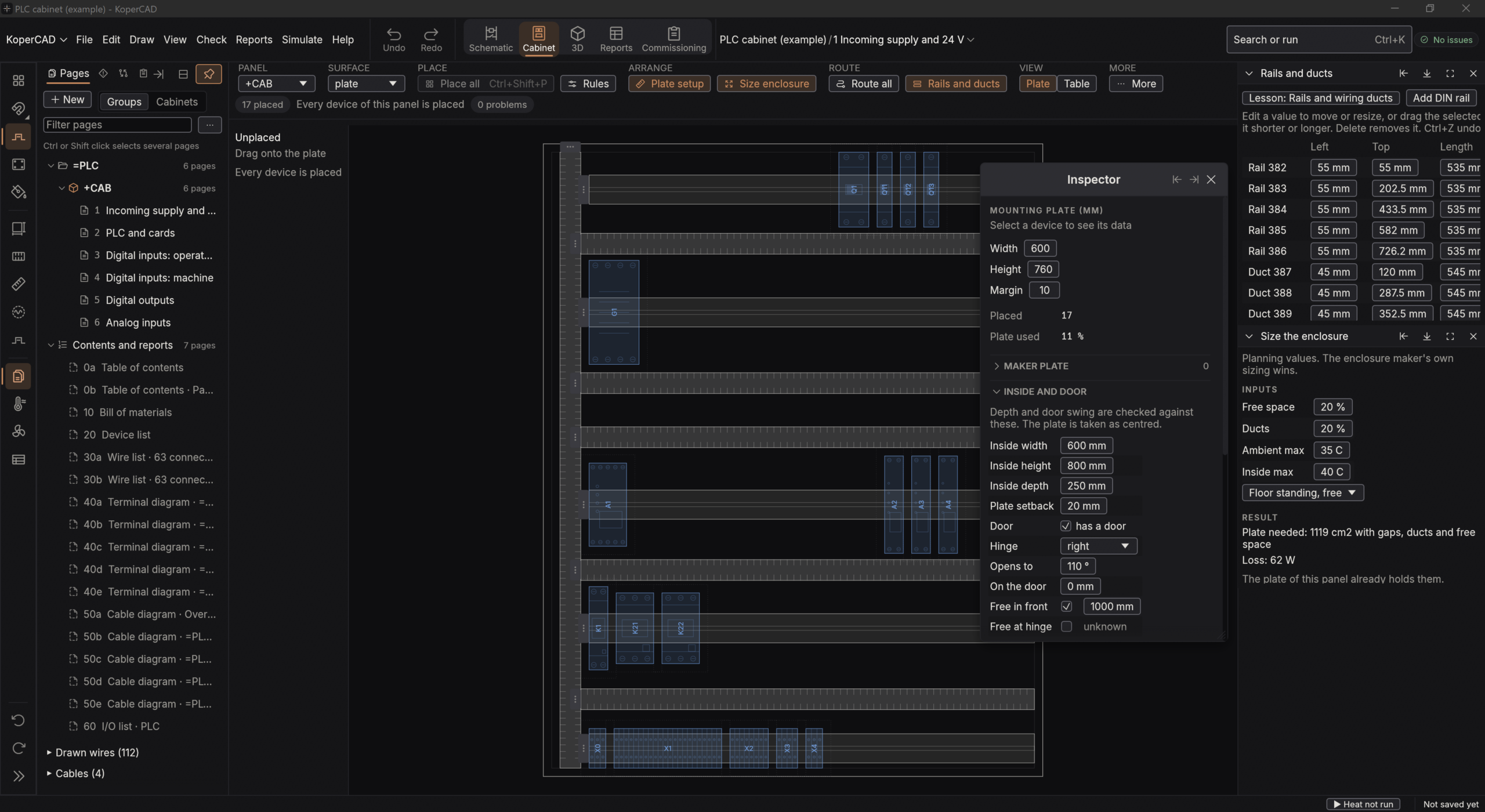
- Cabinet building: a mounting plate with rails and ducts, a check on parts that touch each other, and the cabinet in 3D.
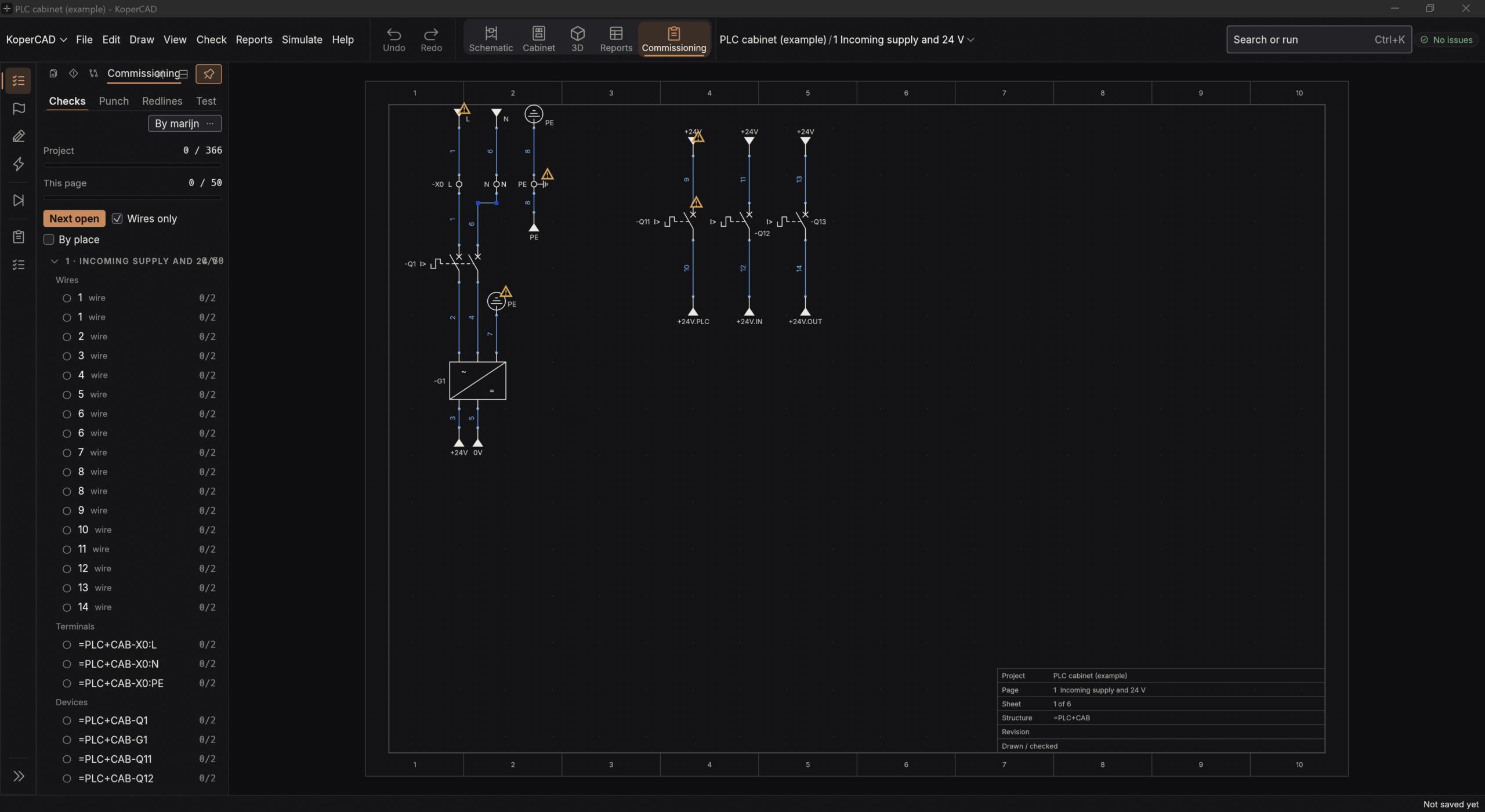
- Watching your circuit live, a commissioning mode with a check list, and a field mode for notes on the drawing.
What is not in it yet
- Windows 10 and 11, 64 bit only. The program is not signed, so Windows warns on the first start.
- Reading or writing EPLAN files is not possible, and neither is exporting a PLC program.
- The parts library holds only what you import yourself; no maker catalogues or EPLAN data are included.
- Numbers that rest on a model, such as heat and functional safety, are planning values, and the program says so itself.
My verdict: I built KoperCAD from source myself and started it, and it looks well made: it opens with an example project and the workspaces are laid out logically. Whether the schematics and the electrical data work the way an EPLAN user expects, I cannot judge, because I do not work with EPLAN myself. What I can say is this: in this corner of CAD, free and open source is still rare, and this licence allows you everything, including building your own commercial product on it. It runs locally, offline, without an account and without administrator rights. Keep an eye on this site for updates and tests.
Source: KoperCAD on GitHub, with the release notes of the project.